Voicely + n8n templates
AI phone agent templates for n8n
Ready-to-import n8n workflows for a Voicely phone agent on your own SIP trunk or PBX. Each one runs on n8n Data Tables or Google Sheets and checks the signature of every request before it does anything.
Free to download
Templates
n8n template · Stores and delivery
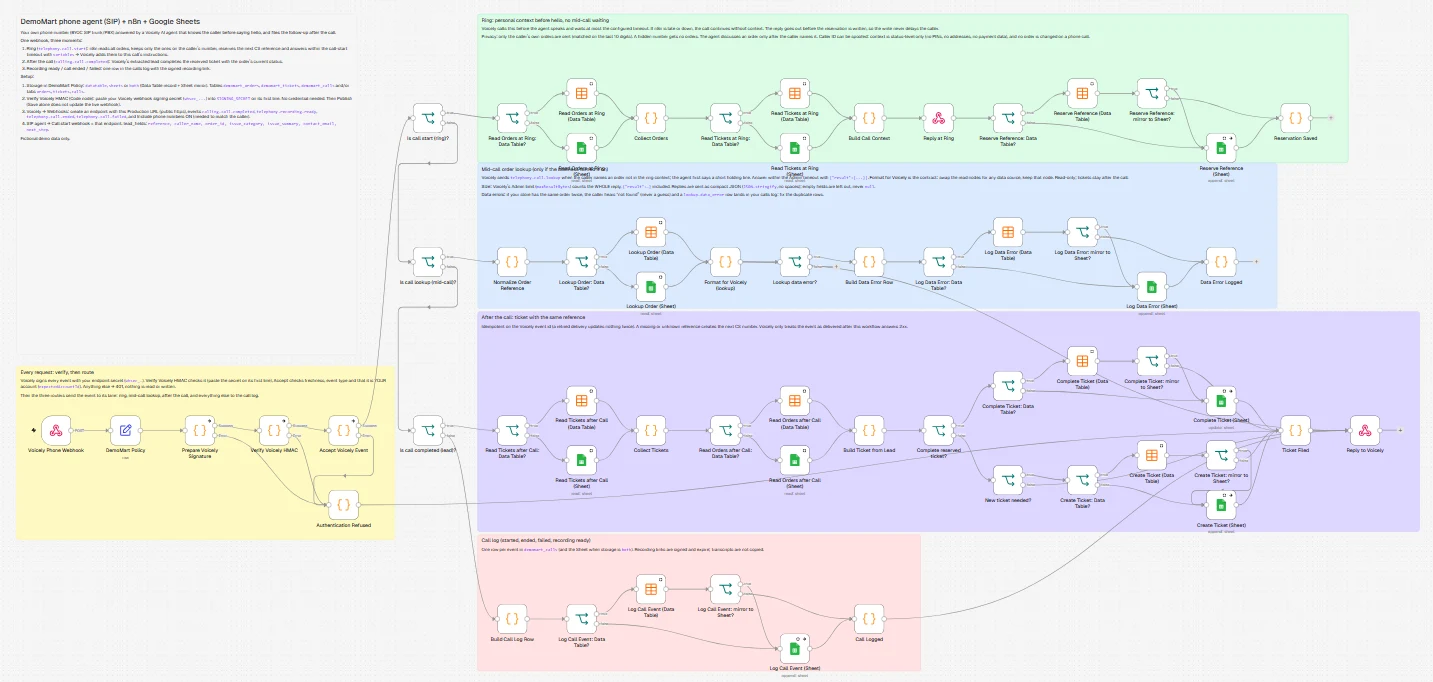
AI phone agent for order status calls
For stores and delivery teams. Greets the caller by name, answers order status, looks up other orders mid-call and files a ticket after the call.
- Knows the caller's orders before saying hello
- Looks up any order number during the call
- Files a ticket with the reference the caller heard
- Read-only: never changes an order on a call
n8n template · Clinics and appointments
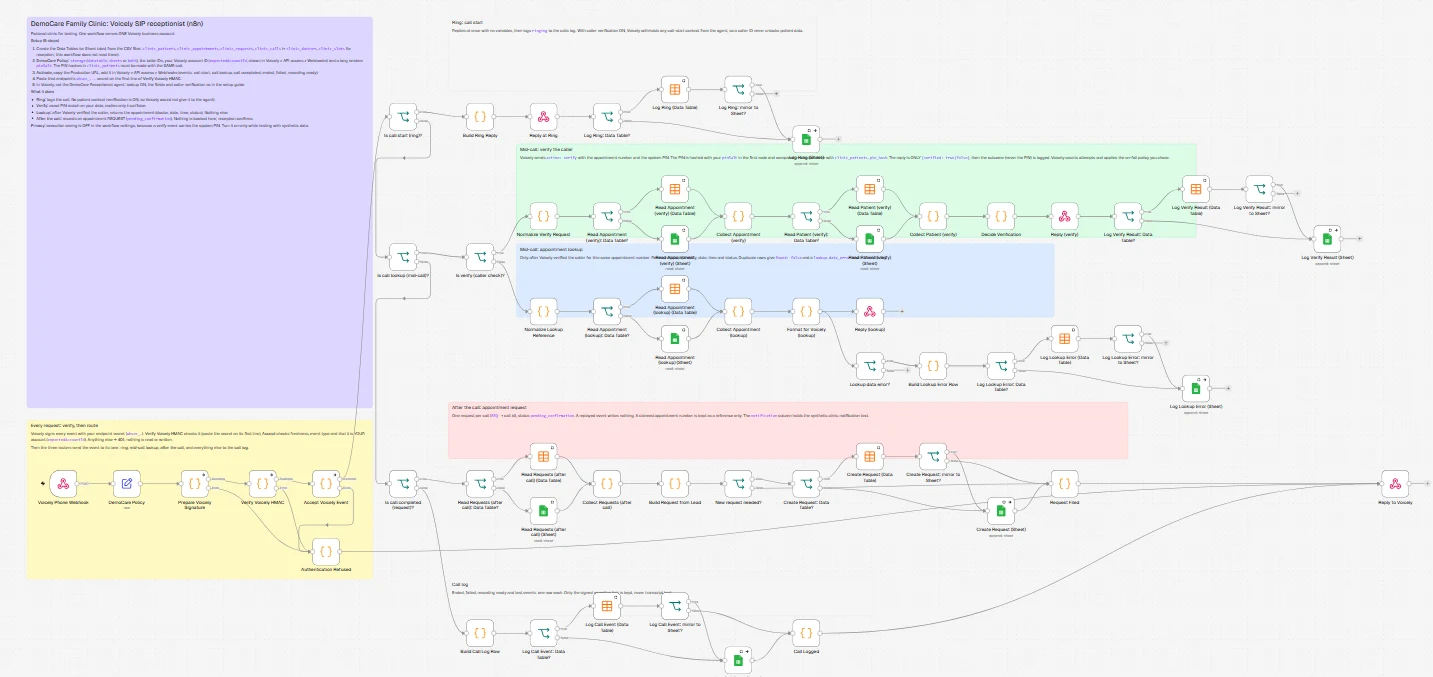
AI receptionist for clinic appointments
For clinics and practices. Verifies existing patients with a PIN before sharing appointment details and takes new appointment requests for reception.
- Verifies the caller with a PIN before sharing anything
- Reads doctor, date, time and status after verification
- Takes new, reschedule and cancel requests for reception
- PINs are hashed and never saved in n8n
Why these templates
A phone agent on your line, your data in n8n
Your own phone line
Calls arrive on the SIP trunk or PBX you already use. There is no extra voice platform account to connect: Voicely is the agent and n8n holds your data.
Context before hello
When the phone rings, Voicely asks your workflow who is calling. The agent can greet a known caller by name and already know their open orders.
Answers during the call
When a caller names a record that was not in the ring context, the agent says a short holding line and looks it up in your workflow while the call continues.
Caller verification
For private records, the agent asks for a PIN and your workflow checks it against a salted hash. Nothing is shared until the check passes.
Signed and safe to retry
The first node checks the Voicely signature, a short time window and your account ID before anything runs. A retried delivery never writes a second ticket or request.
Data Tables or Google Sheets
Pick n8n Data Tables, a Google Sheet, or both, with one switch. Sample data is included so the first test call works within minutes.
From download to first call
Step 1
Import the workflow
Download the JSON, import it into n8n and create the stores from the sample CSV files.
Step 2
Fill in one policy node
Set the storage mode, your table or sheet IDs and your Voicely account ID. The workflow refuses events from any other account.
Step 3
Connect a Voicely webhook
Add the workflow URL in Voicely Webhooks, choose the listed events and paste the signing secret into the first Code node.
Step 4
Set up the phone agent
In your SIP workspace, give the agent the call-start webhook, the lead fields and the business prompt from the template page. Then call your number.
Questions about the templates
Do I need Vapi, Retell or Twilio for these templates?
No. The call reaches Voicely through your own SIP trunk or PBX, and the Voicely agent talks to the caller. n8n only stores and returns your business data.
Are the templates free?
Yes. The workflow files and sample data are free to download and change. Voicely SIP & Phone itself is free to try by application.
Can I use them with my own store or booking system?
Yes. Replace the Data Table or Google Sheets read nodes with your own API call and keep the reply format the template sends back to Voicely.
What happens if n8n is slow or offline?
Voicely waits a short, fixed time. If the workflow does not answer, the call continues without that data and the agent never invents an answer.
Can one workflow serve several businesses?
No. One workflow and one webhook endpoint serve one Voicely account. The policy node refuses events signed for any other account.
Bring your phone line. We bring the agent.
Connect your SIP trunk or PBX to Voicely, then import a template and make your first call.